
Create a Job
Set up a job, define the requirements, build the hiring workflow, and submit it for approval.
Start by creating a job
Open Jobs from the left navigation, then select Create Job.
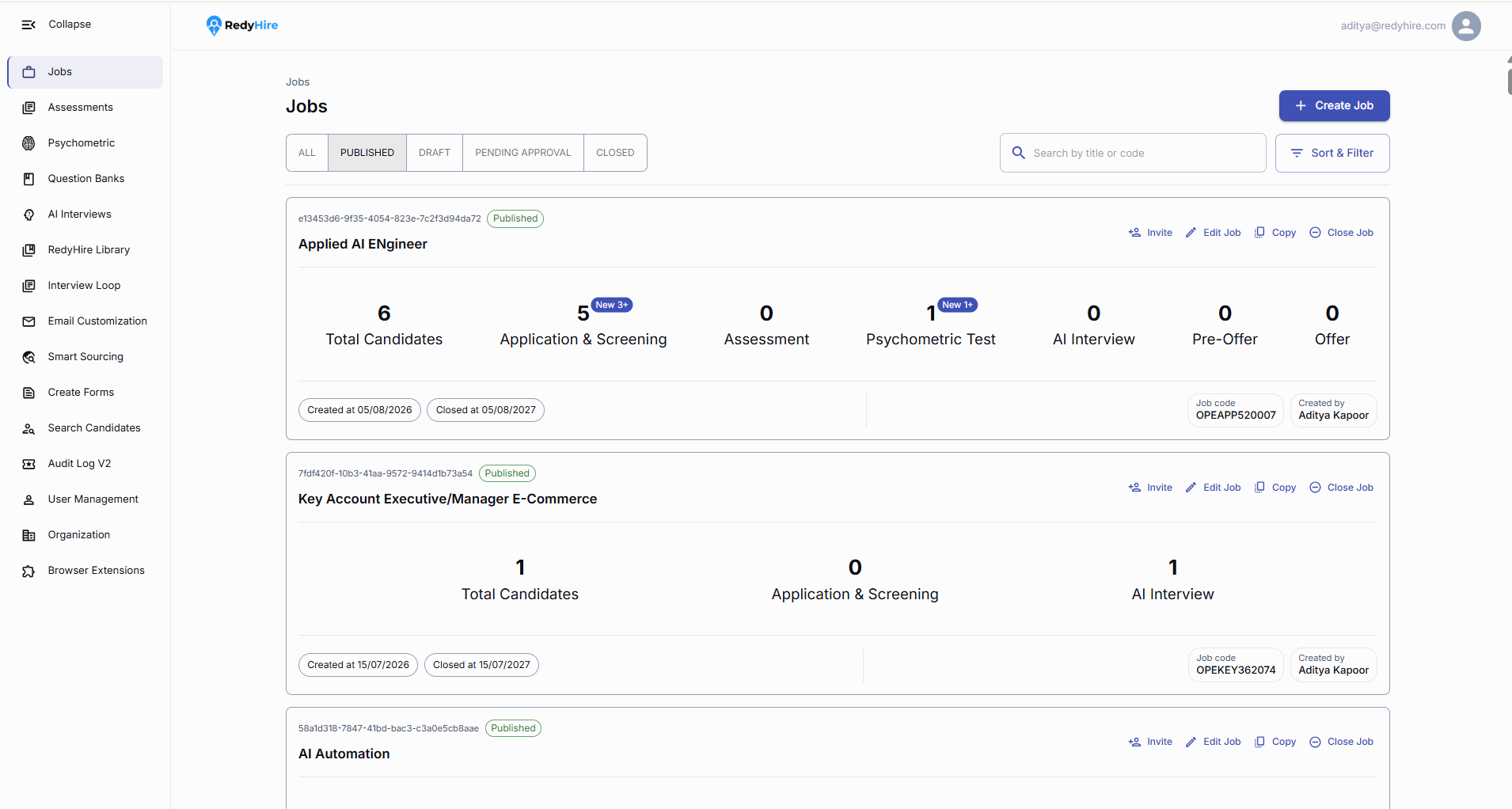
Select Jobs in the left navigation.
Select Create Job to begin.
Add the job title and description
Enter the job title and add the job description. Use Enhance with AI if you want help improving the description.
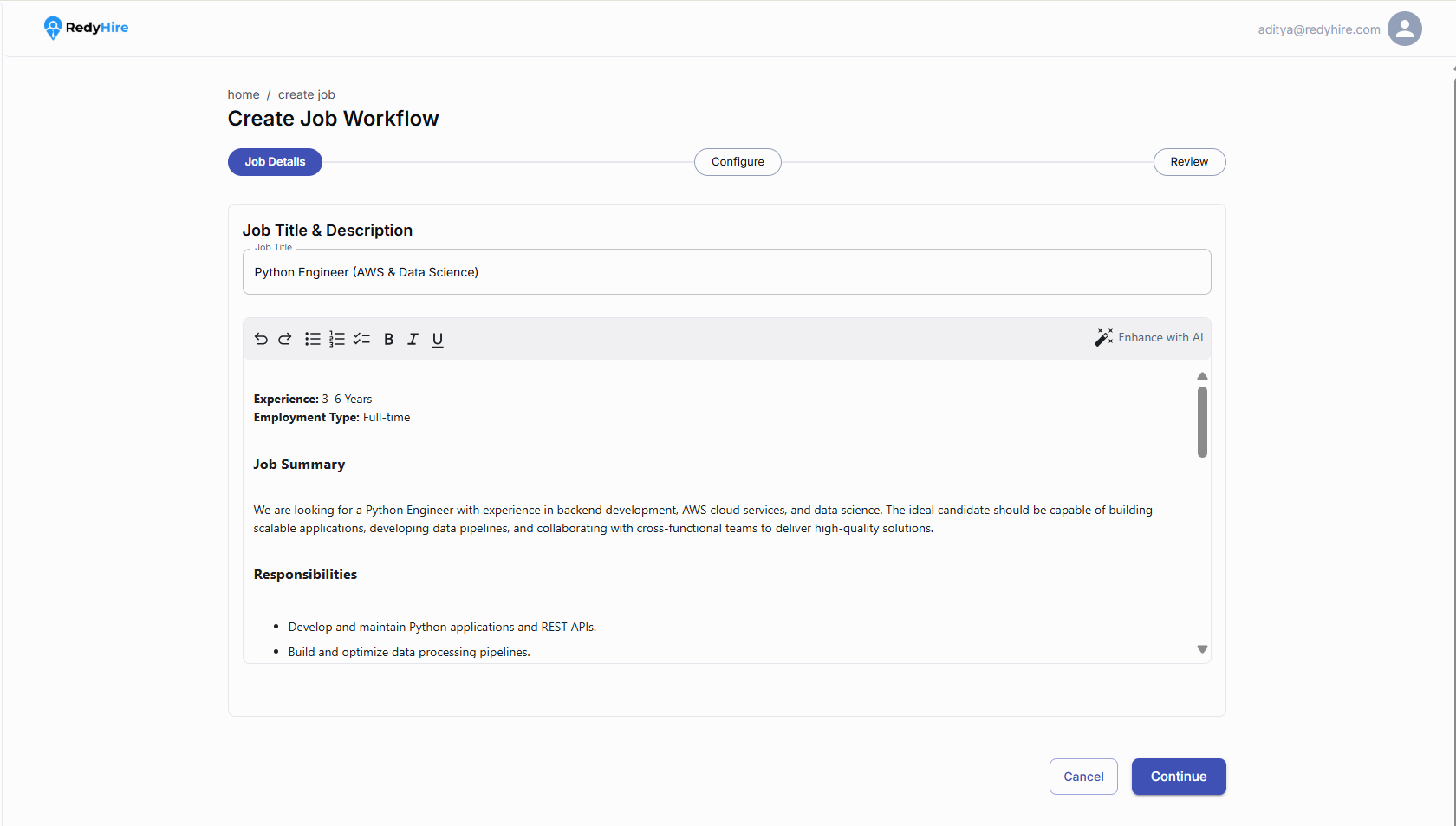
Enter the job title candidates will see.
Add the role summary, responsibilities, and key details.
Select Continue when you are ready.
Enter the basic job information
Enter the role, number of openings, work type, employment type, department, application deadline, project, and job code.
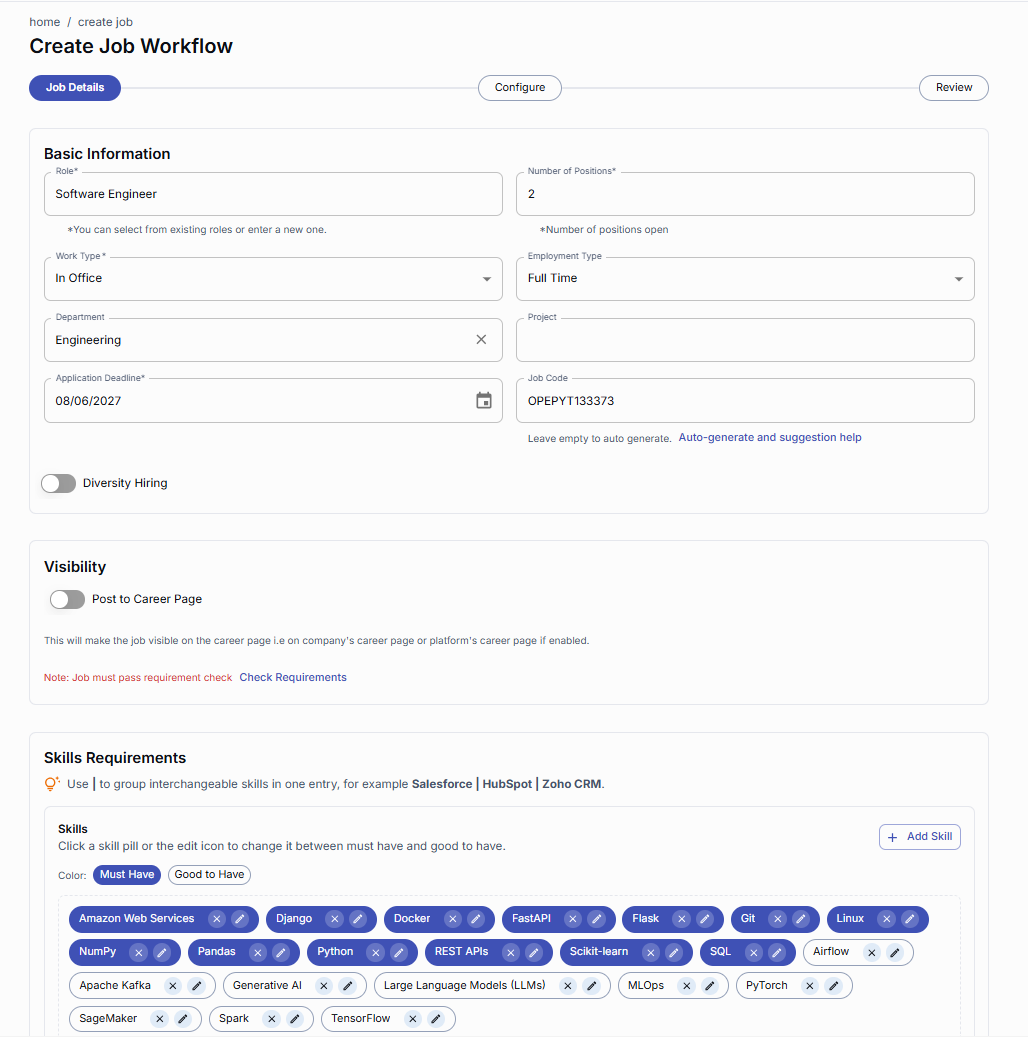
Enter the role, number of openings, work type, and employment type.
Add the department, application deadline, project, and job code.
Enable Diversity Hiring or Post to Career Page if applicable.
Review the job requirements
RedyHire may prefill skills, locations, experience, salary, and other requirements from the job description. Review the suggested details and fill in anything that is missing.
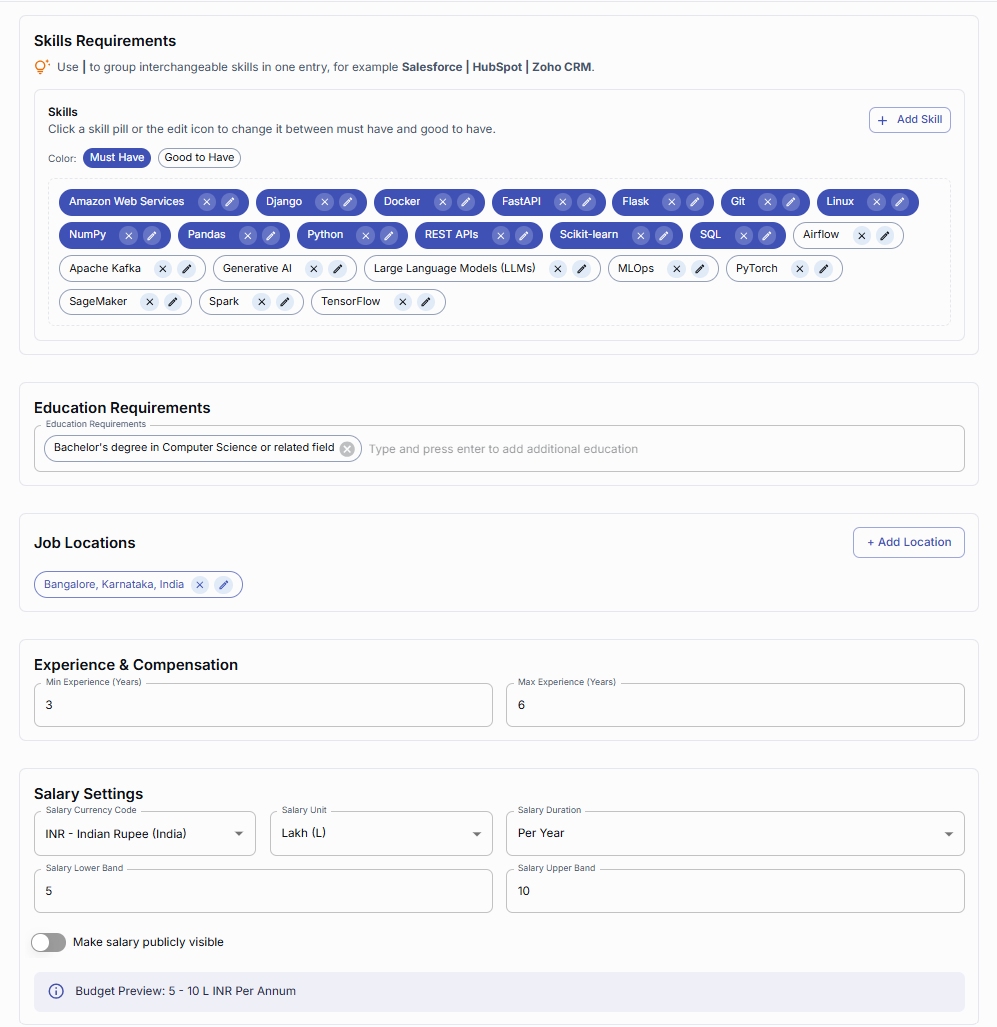
Review the skills extracted from the job description and mark each as Must Have or Good to Have.
Review the suggested education, locations, and experience range.
Review the salary details and choose whether to make them publicly visible.
Set the hiring team and approval settings
Assign the hiring manager and recruiters, choose whether to send recruiter digest emails, and configure the approval process.
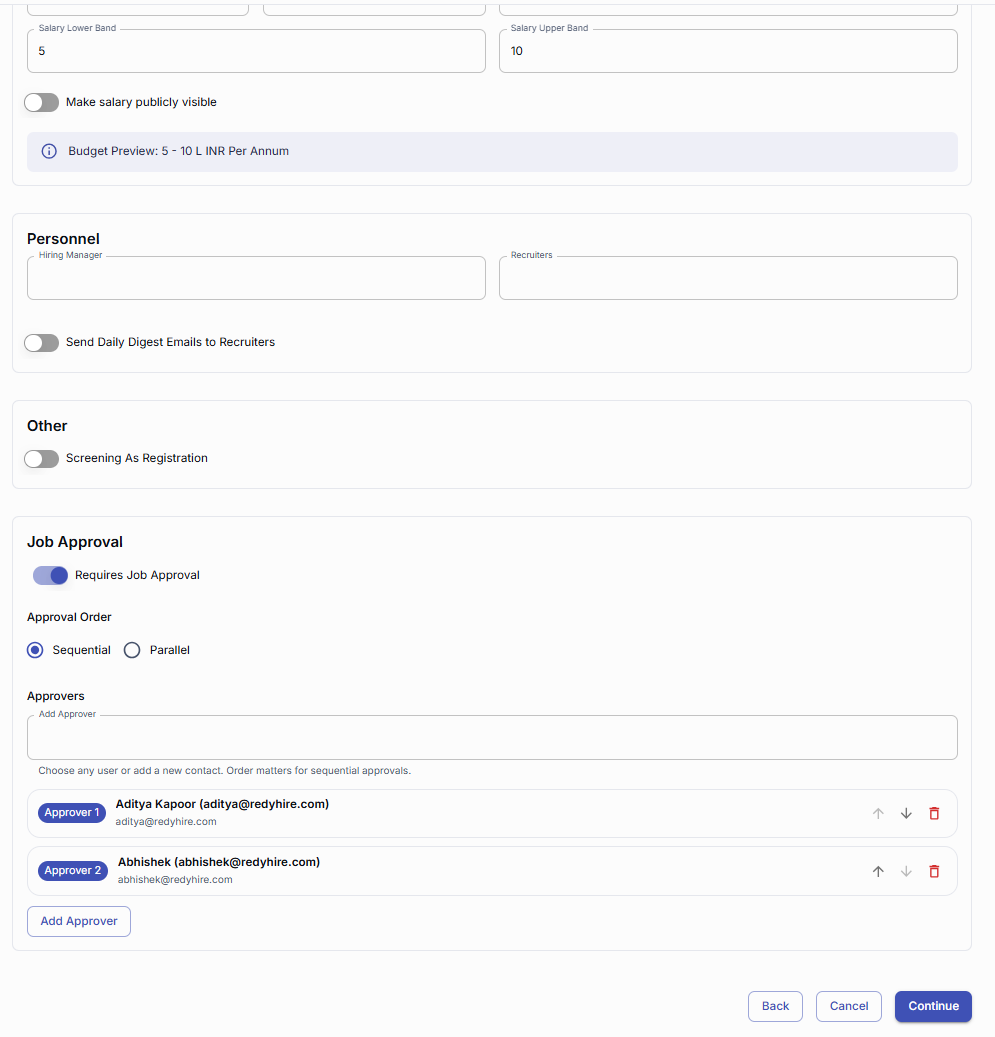
Assign the hiring manager and recruiters for this job.
Enable job approval and choose Sequential or Parallel approval.
Add approvers and arrange them in the required order.
Choose a hiring workflow
Choose a workflow that matches your hiring process. Start from scratch or select a predefined workflow.
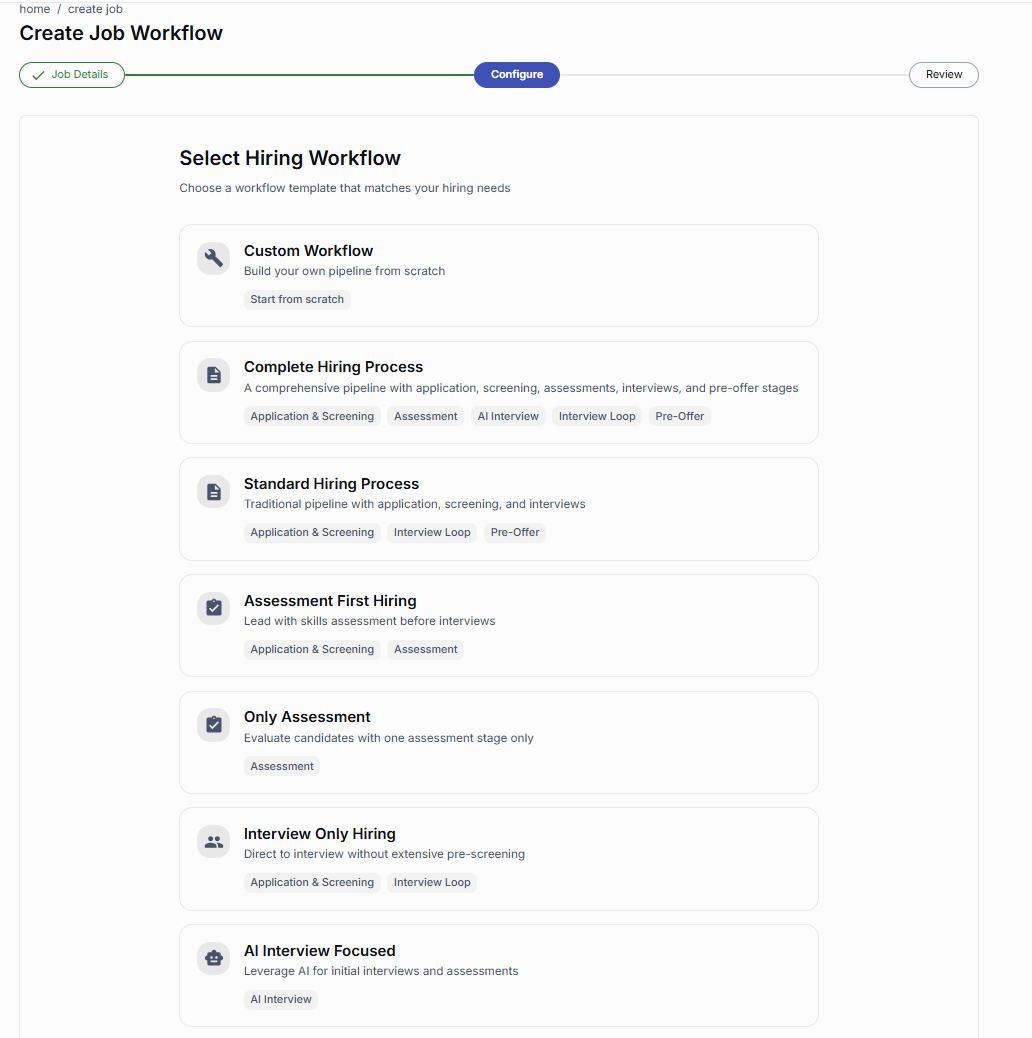
Choose Custom Workflow to build your pipeline from scratch.
Choose a predefined workflow to start with ready-made stages.
Choose the hiring stages
If you are building a custom workflow, choose the stages you need, such as Application & Screening, Assessment, AI Interview, Interview Loop, Pre-Offer, and Offer.
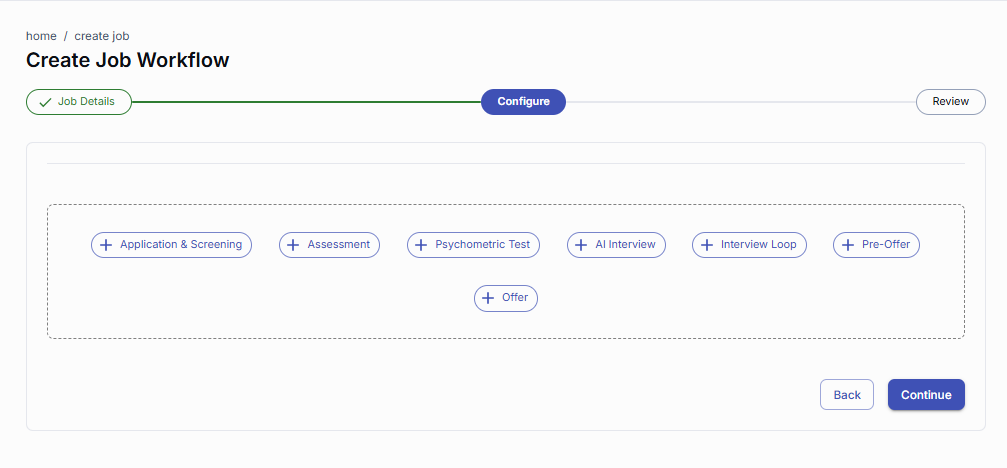
Add the stages and configure them as per your hiring process.
Select Continue when the pipeline is ready.
Configure the hiring pipeline
Review the start, mid, and final stages. Configure each stage, remove any unnecessary stages, and arrange them in the correct order.
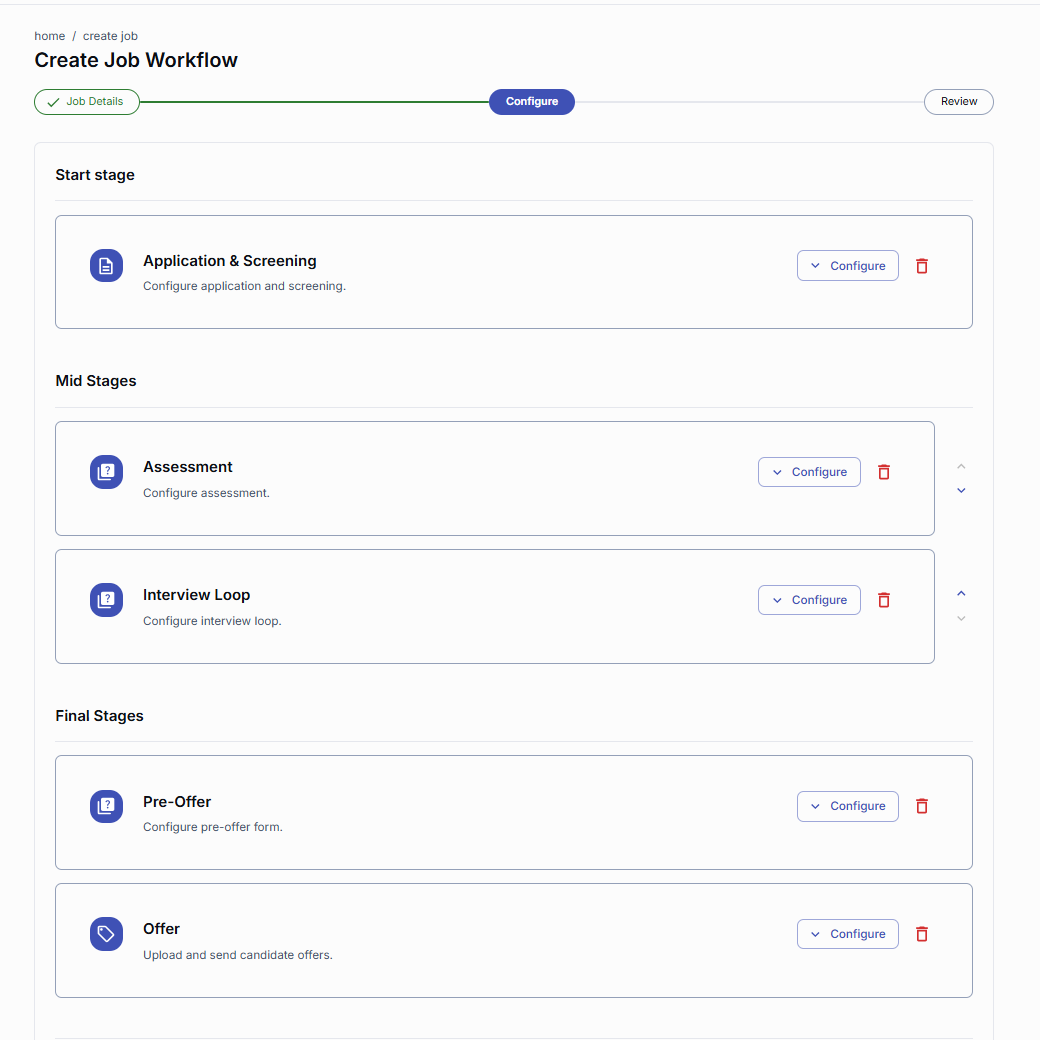
Configure each stage according to your hiring process.
Use the arrows to reorder stages or the trash icon to remove a stage.
Review and publish or submit the job
Review the job details, requirements, hiring team, pipeline, and approval settings. If approval is configured, select Send for Approval. If approval is not required, publish the job.
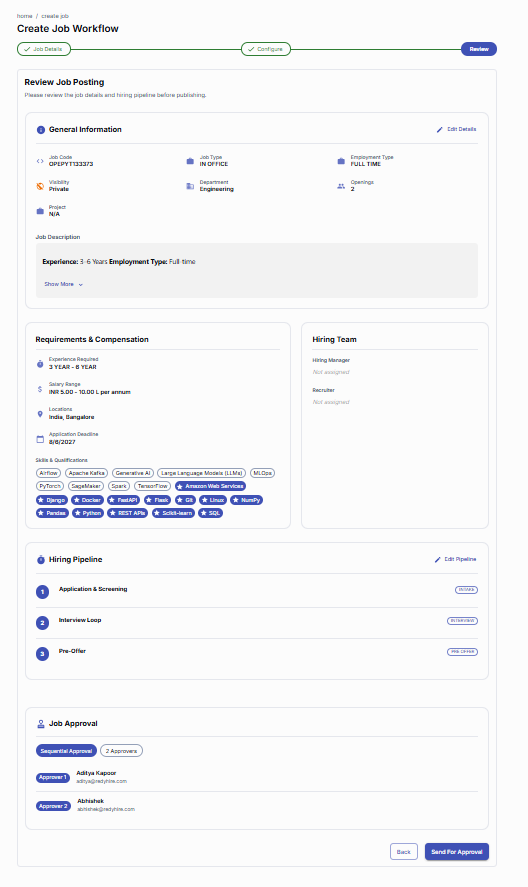
Review the job details, requirements, compensation, and hiring team.
Confirm the hiring pipeline and approval settings.
If approval is configured, select Send for Approval. Otherwise, publish the job.
Quick checklist before you begin
Use a clear, candidate-friendly job title and description.
Separate must-have skills from good-to-have skills to keep requirements focused.
Choose a hiring workflow that reflects the actual stages candidates will complete.
Review approvers, pipeline order, compensation, and visibility before submitting.
Keep exploring
These pages explain the assessment product and trust model behind the candidate flow you just reviewed.
Explore RedyHire hiring orchestration
See how RedyHire coordinates sourcing, evaluation, interviews, and offers across the hiring journey.
Explore AI Interviews
Learn how AI interviews can become part of the hiring workflow you configure for a role.
Explore Product FAQs for hiring workflows
Find buyer and operational answers about jobs, pipelines, approvals, and candidate progression.
Contact RedyHire support
If something does not work during setup or while taking the test, contact support right away.